Aerish Logo
Aerish AcademyA cleaner school operating system
HomeProductFeaturesRolloutGuidesContact
ENSign Up Free
Menu
HomeProductFeaturesRolloutGuidesContact
ENSign Up Free

Operations platform for modern schools

Dashboard - Mobile - Cashless - Learning

Run your school from one workspace that is ready for real use.

Aerish helps owners, principals, teachers, finance teams, operators, students, and parents read the right information without waiting for manual recaps.

Sign Up Free

Free signup - start from priority modules - built for private schools, modern boarding schools, and foundations

Product preview

School operations dashboard

Aerish OS
Aerish admin dashboard in a MacBook browser frame
DashboardAcademicsFinanceWalletPOS

Product Proof

Built around school workflows that are used every day.

Aerish brings the admin dashboard, student portal, staff attendance, school wallet, POS, admissions, courses, quizzes, and notifications into a product that is ready to use.

Inside the workspace

One dashboard for academics, finance, and operations.

Information that normally lives across many menus is organized into a working summary: what is moving, what is pending, and which area needs follow-up first.

Leadership summary and recent activity

Attendance, courses, quizzes, and student progress

Billing, wallet, payment devices, and POS

Admissions, CMS, notifications, and user access

Aerish admin dashboard in a MacBook browser frame
Aerish admin dashboard
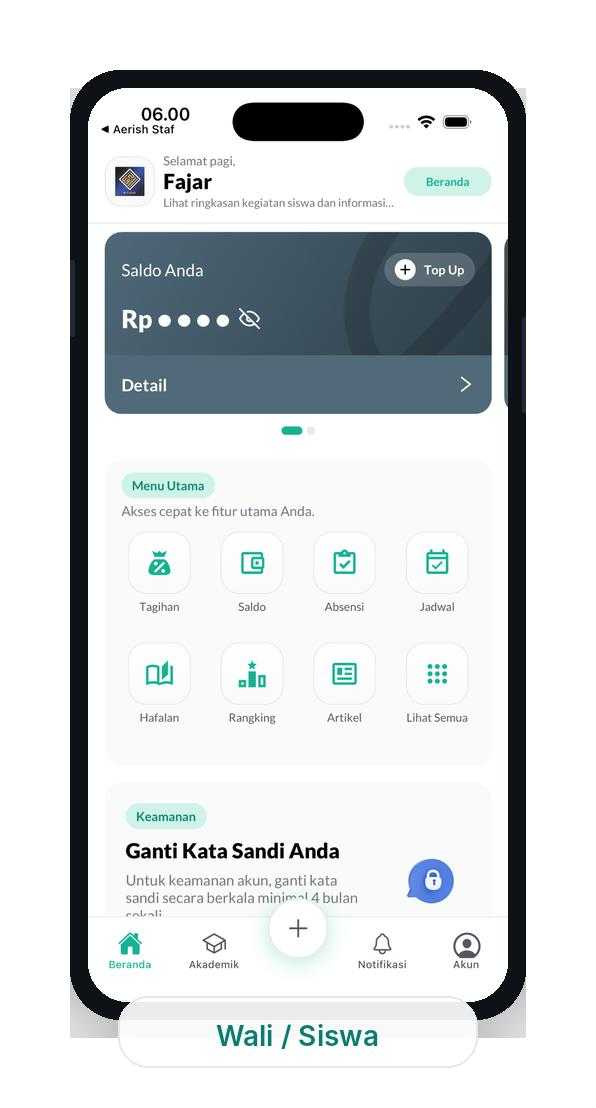
Aerish student wallet screen in an iPhone frame
Student wallet and portal
Aerish staff attendance screen in an iPhone frame
Teacher and staff attendance
Aerish mobile login screen in an iPhone frame
Aerish mobile access
Aerish student mobile screen in an iPhone frame

Student portal

Balances, bills, schedules, attendance, and important updates stay close to users.

Aerish staff attendance screen in an iPhone frame

Staff attendance

Teachers and staff can record daily attendance from a clear mobile flow.

Challenge

When school data is scattered, leaders read the situation too late

The issue is often not team effort. It is that student data, billing, attendance, and follow-up live in different places.

What schools usually feel first

Leaders have to ask several teams before deciding what matters first.

Student data, billing, attendance, and daily transactions still live in separate files or chats.

Finance, operators, teachers, and homeroom teams bring different versions of the summary.

Leaders wait for manual recaps even when several items need action today.

Common friction

3 main friction points

Decisions still depend on manual recaps

The school keeps moving, but leaders still need too many back-and-forth checks before reading what matters today.

School data is still scattered

Academics, billing, wallet, POS, HR, and admissions often live in different systems or files.

Follow-up does not surface fast enough

Bills, attendance, transactions, and student notes appear only after manual recaps are finished.

Teams need a workflow they can follow

A system should support daily work instead of forcing every role to relearn everything from zero.

After Aerish

The school picture becomes easier to read and act on

When the team reads from the same workspace, follow-up is faster and leaders do not rebuild the situation from scratch.

Result 1

Leaders read the daily summary from one view.

Result 2

Daily priorities become visible for the core team.

Result 3

Each role understands what should be handled first.

Fastest visible changes

Daily summaryFinance follow-upAcademic signals

Product Features

Product features ready for school teams

Every module is built for a clear role: leaders read priorities, teachers record learning activity, finance teams reconcile payments, and students or parents receive relevant information.

Aerish admin dashboard mockup

Best fit

Built for schools that want cleaner operations, not more complexity.

Aerish fits private schools, modern boarding schools, and foundations that want a clearer core-team workflow without forcing every process to change on day one.

01

School owners or leaders who need a faster daily view.

02

Treasurers, operators, and academic teams who need one clearer workflow.

03

Schools that want to start gradually from the most urgent module first.

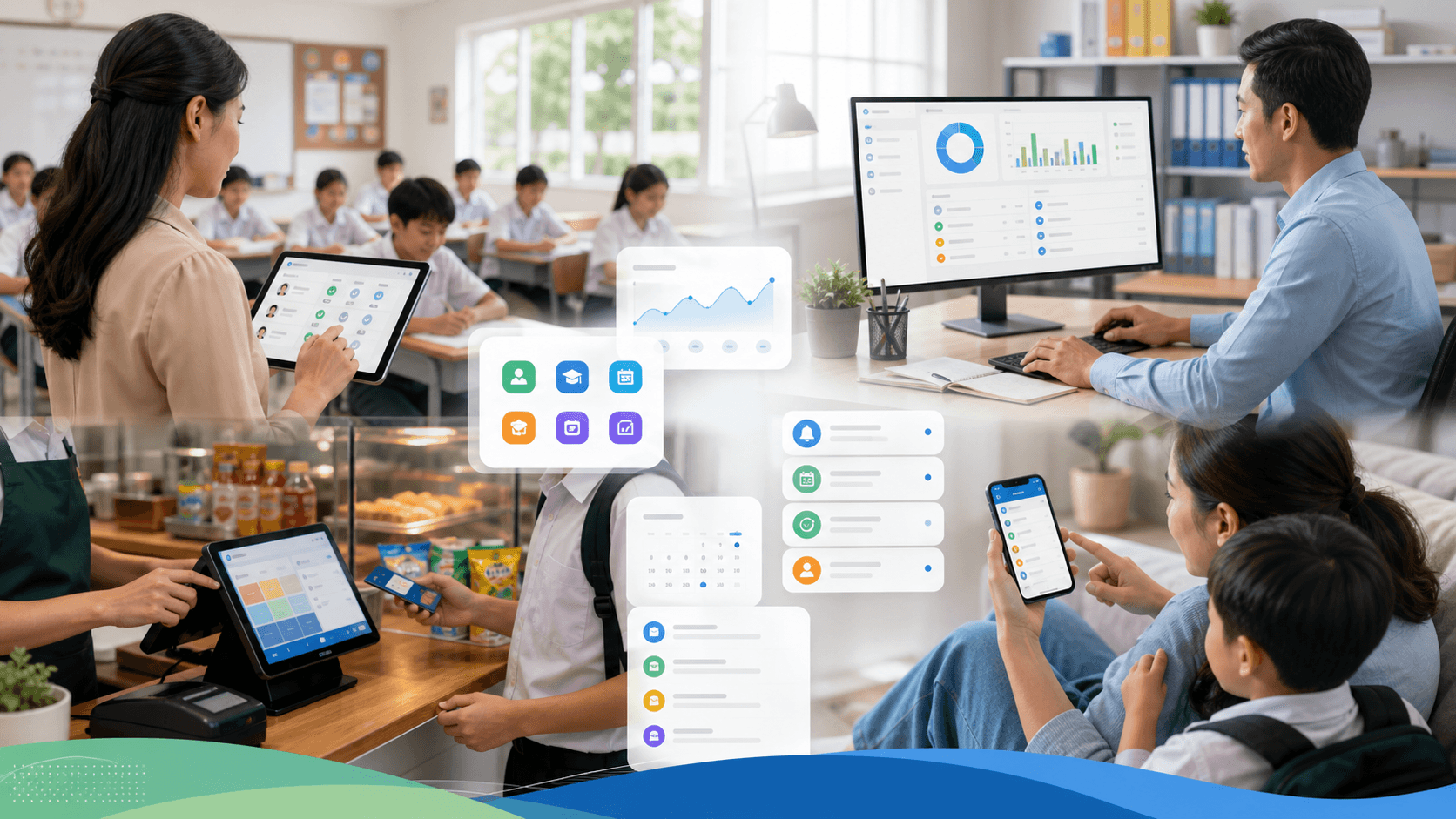
Mobile and admin workflow

One product for leaders, teachers, finance teams, students, and parents.

Admin dashboardStudent mobileStaff attendance
Recommended start

Dashboard & Role Summary

Daily summaries for owners, admins, teachers, finance teams, and every role based on their access.

Overview

Recommended start

Academic Core

Academic years, classes, students, teachers, schedules, subjects, rooms, grades, and report workflows in one place.

Academics

Recommended start

Attendance & Student Care

Regular attendance, class attendance, leave, points, student care, and homeroom follow-up become easier to track.

Attendance

Recommended start

Billing & Invoice

Bill types, bills, invoices, payments, due status, and export-ready reports help finance teams close the loop faster.

Finance

Can be added later

Wallet & Cashless

Student balances, top-ups, withdrawals, payment devices, term savings, and balance mutations support cashless payments.

Cashless

Can be added later

POS, Canteen & Stock

Cashier desk, catalog, stock, vouchers, orders, activity logs, and sales overview keep canteen operations traceable.

POS

Can be added later

HR & Payroll

Departments, positions, employees, work schedules, payroll, payslips, overtime, and leave are managed from one workspace.

HR

Can be added later

PSB & Enrollment

Admissions, public forms, document verification, payments, and selection steps are easier to follow from intake to acceptance.

Admissions

Can be added later

Online Course & Quiz

Teachers can arrange meetings, video or document materials, quizzes, student previews, and progress in one learning hub.

Learning

Can be added later

CMS & Notifications

School websites, articles, notifications, and important communication can be managed without repeating manual messages.

Communication

Rollout

Start from urgent needs, then expand gradually

Not every module has to go live at once. Aerish can start from the most urgent need, then expand once the core team is comfortable with the new rhythm.

Why the process feels safer

Rollout that feels safer for the core team

The school keeps running normally while core modules are prepared. The goal is not to change everything at once, but to make the first change truly usable by the team.

Module priorities are decided together first.

Core data is organized before the team is asked to go further.

Onboarding focuses on the core team, not everyone at once.

You can start from billing, academic monitoring, or the operational area that is most urgent for your school.

01

Map priorities

Choose the module that matters most for the school's current condition.

Output: Module priorities, initial workflow, and required data list.

First session

02

Core data and access

Organize school data, roles, and user structure first.

Output: Core data ready to use with a clearer structure.

1-2 weeks

03

Activate core modules

Run dashboard, academics, billing, wallet, or POS based on priority.

Output: The core team understands the new work rhythm and daily follow-up points.

2-4 weeks

04

Expand gradually

Add HR, payroll, admissions, courses, quizzes, CMS, and other modules once the flow is stable.

Output: A plan for expanding to the next module or unit based on readiness.

Gradual

Guides

Guides for school teams

Read product flows and discussion material so teams can decide priorities before rollout starts.

Aerish Help Center

The guides most often needed by school core teams.

1 recommended guidesBuilt for school teams

Start here

How to Create an Aerish Academy Account

This tutorial is designed for admin, to help school staff create their first account on the Aerish Academy website. Follow the steps below to create a user account and access the Aerish Academy website:

Account3 menit
View all guides

FAQ

Common questions

Short answers to the questions schools usually ask before adopting a new operating system.

Implementation

Do all modules have to go live from day one?
+-

No. Schools can start from priority modules such as dashboard, billing, attendance, wallet, or admissions, then add more modules when the team is ready.

Module

Does Aerish include mobile access?
+-

Yes. Aerish supports mobile access for students, teachers, staff, and role-specific information.

Module

Does it fit schools and boarding schools?
+-

Yes. Academic, finance, wallet, Quran memorization, POS, HR, and admissions modules are flexible for private schools and modern boarding schools.

Module

Can access be limited by role?
+-

Yes. User access can be configured so each role only sees the menus and information relevant to their work.

Next step

Want to discuss your school's needs?

Start with free signup, or contact Aerish to map priority modules and realistic first steps.

Sign Up Free

Start building with one calmer workflow

Start from the module that matters most for your school.

Aerish can begin with dashboard, academics, billing, wallet, POS, HR, admissions, or the learning hub based on team priorities.

Sign Up Free

Free signup - weekday response - 20-30 minute first session

1 session

First-priority map

From school needs to the most reasonable first module.

1

Priority

2

First module

3

30-day plan

01Data
02Academic
03Billing
04POS

WhatsApp

+62 811-114-113

Email

[email protected]

Contact Aerish team Not every module has to go live at once. Start gradually based on team readiness.

Aerish LogoAerish Academy

A school operations platform for academics, finance, wallet, POS, HR, admissions, courses, quizzes, CMS, and notifications in one workspace.

+62 811-114-113[email protected]Monday - Friday, 08.00 - 17.00 WIB

Product

Product ProofCore FeaturesRollout

Guides

All GuidesFAQContact

Legal

Terms of ServicePrivacy PolicyCookie Policy

Company

AboutCareerDocumentationWhatsAppEmail

Social Media

WhatsAppEmail

© 2026 aerish.com. All rights reserved.

Built by Anselia